scifilabx
CNC & AI R&D Engineer
Welcome to scifilabx
This site walks you step by step through the world of CNC controls. No prior knowledge needed - we start with the basics and go all the way to a finished program. For apprentices, students and anyone learning on their own: workshop knowledge, explained clearly.
- Machining basics - cutting speed, feed, choosing a tool
- Understand parameters - E, Q and R, depending on the control
- Try it yourself - download the demo and test your own code
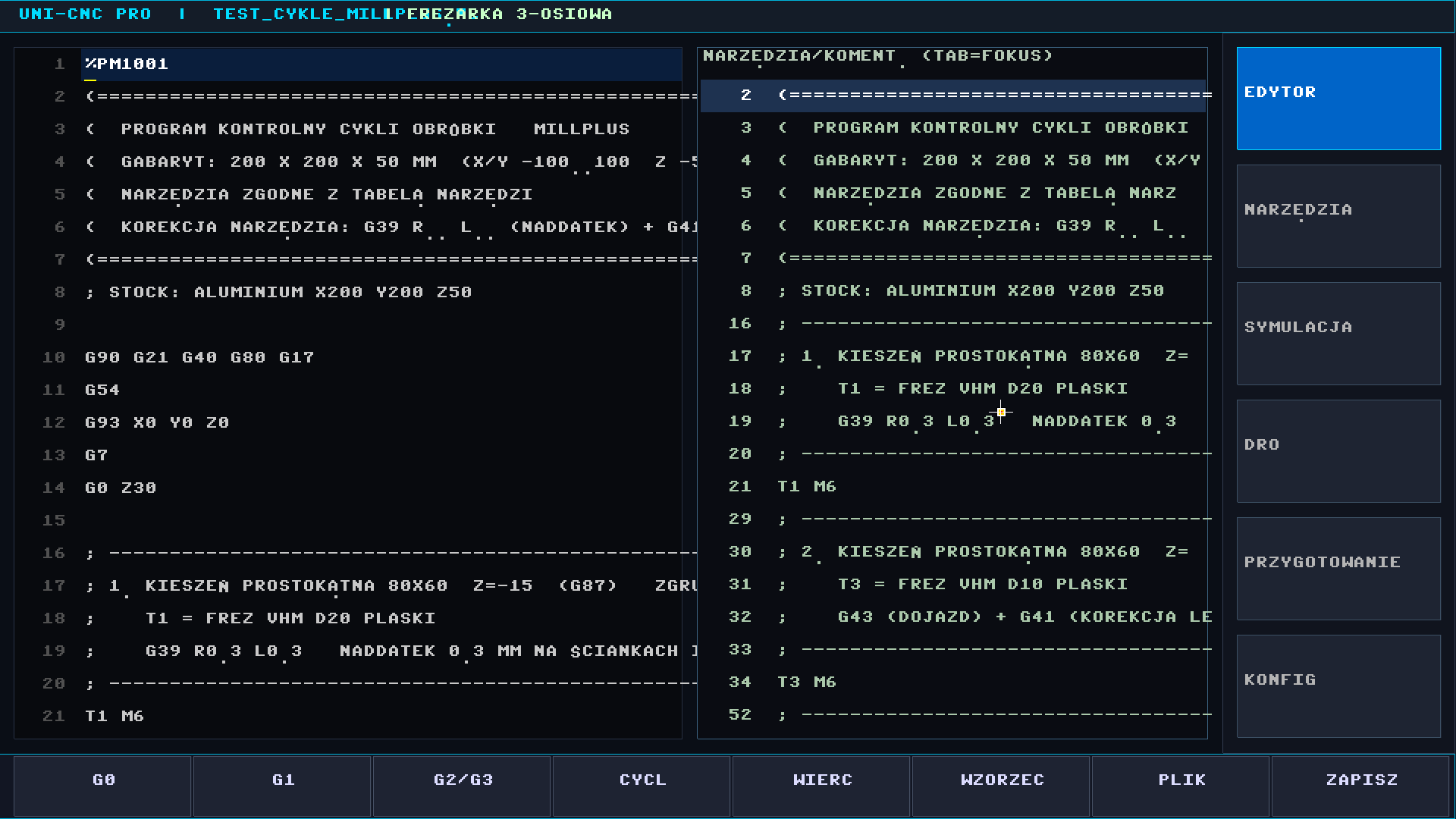
UNI-CNC PRO — demo
Self-contained .exe (Windows 10/11, 64-bit). No library installation required.
Download .zipUNI-CNC PRO — demo
Linux x86-64 binary (X11). Requires SDL2, TBB and OpenGL libraries (see README).
Download .tar.gzUNI-CNC PRO is essentially a CNC editor and a machining simulator. Here is what already works:
🖥️ CNC editor
Two panes: the left one for writing machine code, the right one for quick searching of tools and comment text. Advanced editor functions.
⚙️ Machining simulator
Machining simulation, kinematic motion tracking, and a DRO simulator for following machine travels.
📦 STL and STEP files
Support for STL and STEP files — models can be loaded directly into the program.
🔧 Tool editor
Advanced tool editor, including custom tools with an arbitrary shape of both the cutting and the shank part. Tools can be added to the program by selecting them from a table.
🏭 Machine editor
Advanced machine editor: any machine with any kinematic layout can be defined.
… and much more.
Note: some functions are deliberately disabled in the demo version.
Allowance analysis
Analysis of the remaining allowance after machining.
AI agent
Adding an AI agent to the program.
More post-processors
Equipping the program with additional post-processors for various machines.
Currently in development and planned for upcoming releases:
Extended post-processors
Support for more machine controllers and custom post-processors.
More machines
Extended machine database and kinematic models.
CAM functions
New machining strategies and toolpaths.
CAD functions
Geometry creation and editing directly in the application.
If you like my work, you can support me:

Reference and practice: parameters, definitions and the basics of machining.
Q-parameters — defining and using them quickly
E-parameters
The content will be added step by step.
Besides CNC-CAM there are other projects — hardware, software and retro computing.
CYBER27 — an operating system for Raspberry Pi
Bare-metal system (no Linux) with its own BASIC interpreter, graphical desktop and 3D engine.
Learn more →service@scifilabx.org · scifilabx.org
When the system says stop: fighting "No space left on device" on the R&D server
A short story about how automatically downloading the VS Code environment can fill the small disk of an embedded machine and how to effectively clean system logs with journalctl.
Read post →Interpreting the G7 (C5=0) coordinate transform in MillPlus
A video showing how my custom Python parser catches C-axis indexing on the fly and how it reacts to the rotation of the working plane. Link to the full discussion on YT.
Watch on YT →Using LLM models to generate error-free ISO G-code blocks
I test how well artificial intelligence copes with the specific, old code formats of Deckel Maho machines. First insights, successes and spectacular algorithm failures.
View on LinkedIn →